
Kling AI: AI Image&Video Maker
KLING AIArt & Design
4.53.79K Reviews
- Version
- 3.10.20.420
- Installs
- 10.00M
- Age Rating
- Teen
Screenshots
Our Review of Kling AI: AI Image&Video Maker
 Analysis by Appyee
I find the biggest hurdle with an AI art app is not coming up with an idea; it’s turning a vague idea into a result I actually want to keep. Kling AI: AI Image&Video Maker is best approached as a creative workspace for trying visual directions, not as a button that guarantees a finished, polished post. That distinction makes the experience more useful: I can explore an image style or a short video concept, then decide what needs another pass before sharing.
When a first attempt misses the mark
AI-generated work can be unpredictable, so I would not judge a prompt or image edit by one result alone. If an output feels too far from your intention, simplify the request and focus on the most important visual detail first. Then adjust one thing at a time. Changing the subject, mood, and style all at once makes it harder to tell which choice helped.
That approach matters especially when you have a specific reference in mind. A broad request can be a good starting point for playful experimentation, but it is less reliable when you need a particular composition or a consistent look across several images. I treat the first version as a sketch: useful for finding a direction, but not automatically the final asset.
Small checks before you create
Before starting a session, I would check that the app is current and that the device has a stable internet connection. AI creation can depend on processing beyond the phone, so a stalled request may be a connection issue rather than a problem with the idea itself. Keeping enough free storage is also sensible if you plan to save several image and video drafts.
It helps to decide what you want to make before opening the editing tools. For example, a quick social post, a visual mood board, and a short story clip call for different amounts of polishing. Choosing the destination early makes it easier to keep the crop, text, and overall style appropriate instead of doing the same work twice.
A practical way to recover a workflow
If a generation or edit does not complete, I would first wait briefly and check the connection, then retry with a simpler request. If the app itself becomes unresponsive, closing and reopening it is a sensible first step; checking for an update is another low-risk check. I would avoid repeatedly submitting the same job while it appears stuck, since that can create confusion about which result is the newest.
For work I care about, I save a usable version before experimenting further. That gives me a fallback if a later style change moves the image in the wrong direction. I also keep the original photo separately when I am editing one, so I can compare the transformation and start over without losing the source.
Separating app friction from creative limits
Not every disappointing result means the app has failed. A prompt may be too open-ended, a source photo may not suit the effect, or a requested change may be difficult to express in a short instruction. I get better results when I describe the central subject and intended mood plainly, then refine the image rather than trying to dictate every tiny detail in one go.
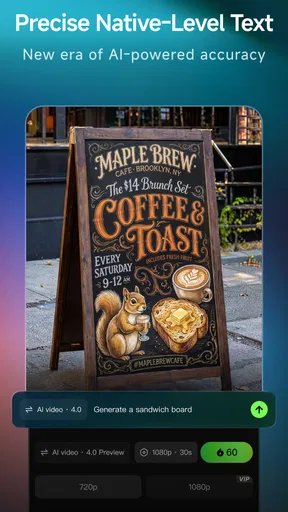
There are also times when an AI tool is simply not the right choice. If a project needs exact brand colors, precise typography, or frame-by-frame control, a conventional image editor or dedicated video editor will usually offer more predictable control. I would use Kling for exploration and quick creative drafts, then move to a specialist tool when accuracy and repeatability matter more than speed.
Who gets the most out of it?
The app makes the most sense for people who like experimenting: casual creators, social media users looking for a fresh visual, and beginners who want to explore image and video ideas without beginning with a complicated desktop workflow. It is less suitable for someone who needs every output to match a strict professional brief or wants detailed manual control over every edit.
A realistic everyday use is planning a post for a friend’s birthday. I might try an illustrated treatment for a photo, compare a few visual directions, and use the strongest one as a starting point for a short celebratory clip. I would still check the image carefully, add any essential wording in a tool that gives me exact text control, and preview the finished piece before sharing it.
Getting Started with Kling AI
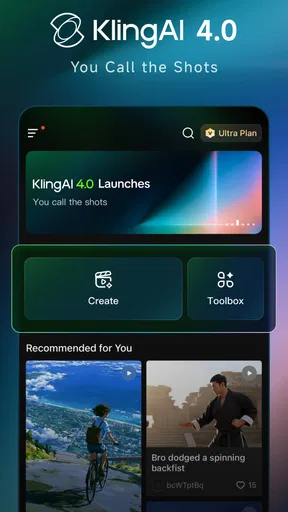
Diving into Kling AI: AI Image&Video Maker is like stepping into a candy store for creators. The app welcomes you with a sleek, user-friendly interface that’s as intuitive as it is inviting. Whether you're a seasoned pro or a newbie, you'll find your way around in no time.
First things first, the setup is a breeze. A quick download from the App Store or Google Play, and you're ready to roll. The app doesn’t weigh much on your device, so it’s a win-win for those who are cautious about storage space.
The Creative Toolkit
Now, let’s talk about the real magic - the tools. Kling AI is packed with a range of features that are sure to get your creative juices flowing. You’ve got your basic editing tools, but the real star of the show is the AI-powered features that take your creations to the next level.
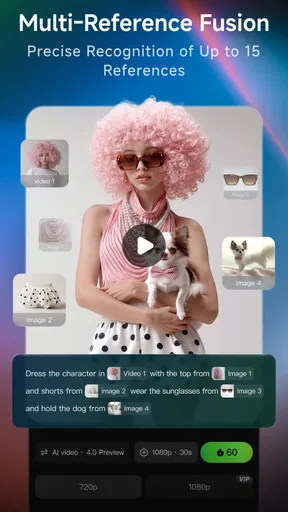
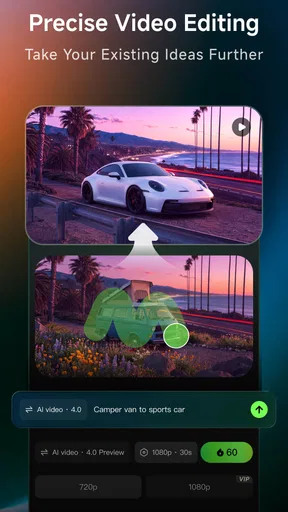
Using AI, Kling can transform ordinary photos into extraordinary works of art. Think of it as having a pocket-sized creative assistant that helps you tweak, enhance, and totally revamp your images and videos. The AI suggests edits that could make your creations pop, and you can choose to follow its lead or go your own way.
Video Creation Made Easy
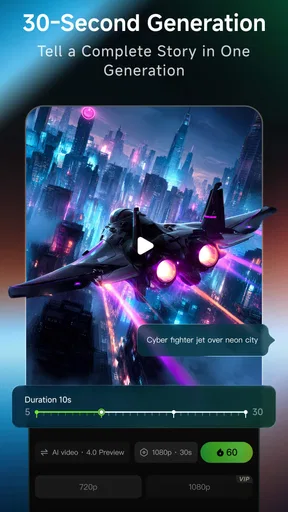
For those who love to tell stories through moving pictures, the video creation feature is a game-changer. Kling AI offers a variety of templates and effects that make it easy to create stunning videos. The drag-and-drop functionality is super smooth, and you can add music, text, and transitions with just a few taps.
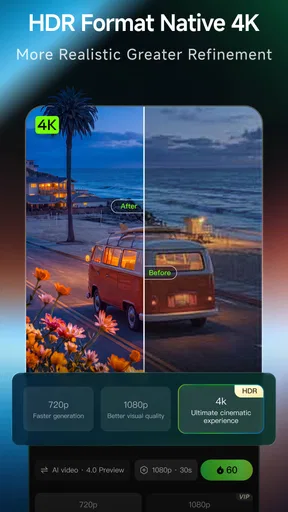
The app also includes a library of royalty-free music tracks, so you don’t have to worry about copyright issues when you share your masterpiece with the world. Plus, the export options allow you to save in high resolution, ensuring your videos look crisp and professional.
AI Artistry and Filters
One of the standout features is the AI artistry tool. This feature allows you to turn your photos into digital art pieces. Whether it’s transforming a photo into a watercolor painting or a comic book style, Kling AI has got you covered. The filters are diverse and plentiful, offering endless possibilities for customization.
I found myself spending hours just playing around with different styles and effects. It’s addictive, to say the least. The app also updates its filters regularly, so there’s always something new to try.
Community and Sharing
Kling AI isn’t just about creating; it’s about connecting. The app has a built-in community where you can share your creations, get inspired by others, and even participate in challenges. It’s a fantastic way to engage with like-minded creators and get feedback on your work.
Sharing options are seamless, allowing you to post directly to your favorite social media platforms or save your creations for later. The app ensures that your work retains quality, no matter where you share it.
Making the most of a short video
When I am working with video, I find it useful to settle on the story before choosing effects. A simple sequence with a clear beginning and ending is easier to shape than a collection of unrelated shots. I would pick a template only after deciding what the clip needs to communicate, then use text and transitions sparingly so they support the idea instead of competing with it.
Music is another choice worth making late in the process. A track can change the mood of the same visuals, so I first check whether the images already work without it. Before sharing, I preview the clip from start to finish and look for awkward transitions, text that is hard to read, or a final frame that feels abrupt. That last check is more useful than adding another effect just because it is available.
Where it fits among creative apps
Compared with a conventional photo editor, Kling’s appeal is the ability to explore an artistic transformation without manually adjusting every effect. A traditional editor is still the better choice when I need exact retouching, reliable text placement, or precise control over color. Compared with a dedicated video editor, Kling is more inviting for quick experiments that combine generated visuals and editing, while a specialist editor is a stronger fit for a carefully timed sequence or a larger project.
I see it as a complement rather than a replacement for those tools. One useful workflow is to explore a visual concept here, save the version that has potential, and then finish it elsewhere if the project needs exact layout or detailed control. That division keeps the creative spark without forcing an AI app to do a specialist editor’s job.
What to expect from access and cost
Kling AI is a free Art & Design app from Lohas Games Pte. Ltd., with in-app purchases listed from $1.19 to $1,099.99 per item. I would treat the free entry point as a way to explore the workflow and check whether its creative tools suit me, rather than assuming every option or amount of use is included at no cost. Before buying anything, I would review the purchase details shown in the app and decide whether the feature is genuinely useful for the project at hand.
It has a 4.5 average from around 272,000 ratings and more than 10 million installs, which suggests that many people have tried it, though popularity does not guarantee that its style or workflow will suit everyone. The app is rated Teen, runs on Android 5.0 or later, and version 3.1.12.273 is its current version. The release date is January 20, 2025. Those details make it easier to judge basic compatibility, but I would still check the device’s available storage and connection before starting a substantial creative session.
Final Thoughts
So, is Kling AI worth a download? If you’re passionate about digital art and video creation, it’s a resounding yes. The app is not only powerful but also accessible, making it a great tool for creators of all levels. It’s like having a mini art studio in your pocket, ready to turn your creative visions into reality.
Whether you're looking to enhance your social media feed or just explore your artistic side, Kling AI: AI Image&Video Maker is a fantastic companion on your creative journey. Give it a go, and let your imagination run wild!
Privacy and Permissions
See what permissions an app requests and how it handles your data.
- Device & app history
- retrieve running apps
- Identity
- find accounts on the device
- Contacts
- find accounts on the device
- Location
- access extra location provider commands
- Phone
- read phone status and identity
- Photos/Media/Files
- access USB storage filesystem, read the contents of your USB storage, modify or delete the contents of your USB storage
- Storage
- read the contents of your USB storage, modify or delete the contents of your USB storage
- Camera
- take pictures and videos
- Microphone
- record audio
- Wi-Fi connection information
- view Wi-Fi connections
- Device ID & call information
- read phone status and identity
- Other
- view network connections, pair with Bluetooth devices, access Bluetooth settings, change network connectivity, connect and disconnect from Wi-Fi, control flashlight, full network access, change your audio settings, control Near Field Communication, run at startup, reorder running apps, draw over other apps, use accounts on the device, control vibration, prevent device from sleeping, set an alarm, install shortcuts, Google Play license check
Verdict
Strengths of Kling AI: AI Image&Video Maker
- Intuitive interface for beginners.
- High-quality video rendering.
- Wide range of editing tools.
- Frequent updates and improvements.
- Supports multiple file formats.
Limitations of Kling AI: AI Image&Video Maker
- Requires a stable internet connection.
- Subscription needed for premium features.
- Occasional crashes on older devices.
- Limited free version capabilities.
- Heavy on system resources.
Similar Picks in This Category
View All
Canva: AI Photo & Video Editor
Canva4.8

PENUP – Drawing-sharing SNS
Samsung Electronics Co., Ltd.4.5

Crafto
Kutumb App4.6

Sketchbook
Sketchbook4.1

ibis Paint X
ibis inc.4.5

Adobe Express: AI Photo, Video
Adobe4.6
Frequently Asked Questions
What is Kling AI: AI Image & Video Maker?
Kling AI: AI Image & Video Maker is a cutting-edge application designed to help users create stunning images and videos using artificial intelligence. It offers a wide array of tools and features to enhance creativity, allowing both novice and experienced users to produce professional-grade content with ease.
Is Kling AI suitable for beginners?
Yes, Kling AI is designed to be user-friendly for beginners. It features an intuitive interface and simple navigation, with guided tutorials and tips to help users understand and utilize its powerful AI tools. Whether you're new to content creation or looking to enhance your skills, Kling AI provides a supportive environment.
What are the primary features of Kling AI?
Kling AI offers a range of features including AI-driven image and video editing, customizable templates, and special effects. Users can leverage AI to automatically enhance images, edit videos, and apply artistic styles. The app also supports exporting in various formats for easy sharing across platforms.
Does Kling AI require an internet connection to function?
While some features of Kling AI can be used offline, an internet connection is required for optimal performance and access to the full suite of AI tools. Online connectivity ensures users receive regular updates, access cloud-based resources, and benefit from community-shared templates and effects.
Are there any in-app purchases in Kling AI?
Yes, Kling AI offers in-app purchases. While the app is free to download, certain advanced features, templates, and effects may require a subscription or one-time purchase. Users can explore the basic functionalities for free and choose to upgrade based on their specific needs and preferences.
